
...
| Info | ||
|---|---|---|
| ||
Note: Python3, Docker, and Rabbit MQ services are used to support and run Managed Servers. Local customers planning on utilizing managed servers will need to either install these services, or please contact support for assistance to accommodate specific network needs. Required installations are already included for hosted customers. |
...
- VM creation, management, and monitoring from within ProVision
- Minimal requirements - Managed Servers only requires Python3 and Docker as dependencies
- OS options include CentOS and Ubuntu
- Supports both remote and manual setups
- Supports both root and non-root installations (for the latter, some root steps may be required)
- Installation and upgrade may be performed either via internet connection or locally:
- Remote internet install/upgrade connects to ProVision's servers to upgrade to get new versions
- Local installs/upgrades will require users to upload the new version locally into their ProVision instance
- No kernel updates or other system updates are required for local updates - only the Docker container will be updated.
...
| Expand | ||
|---|---|---|
| ||
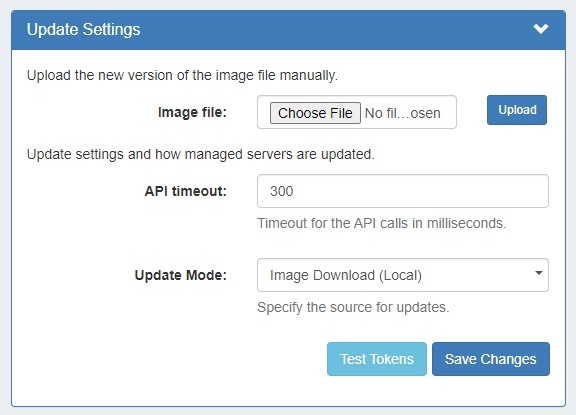
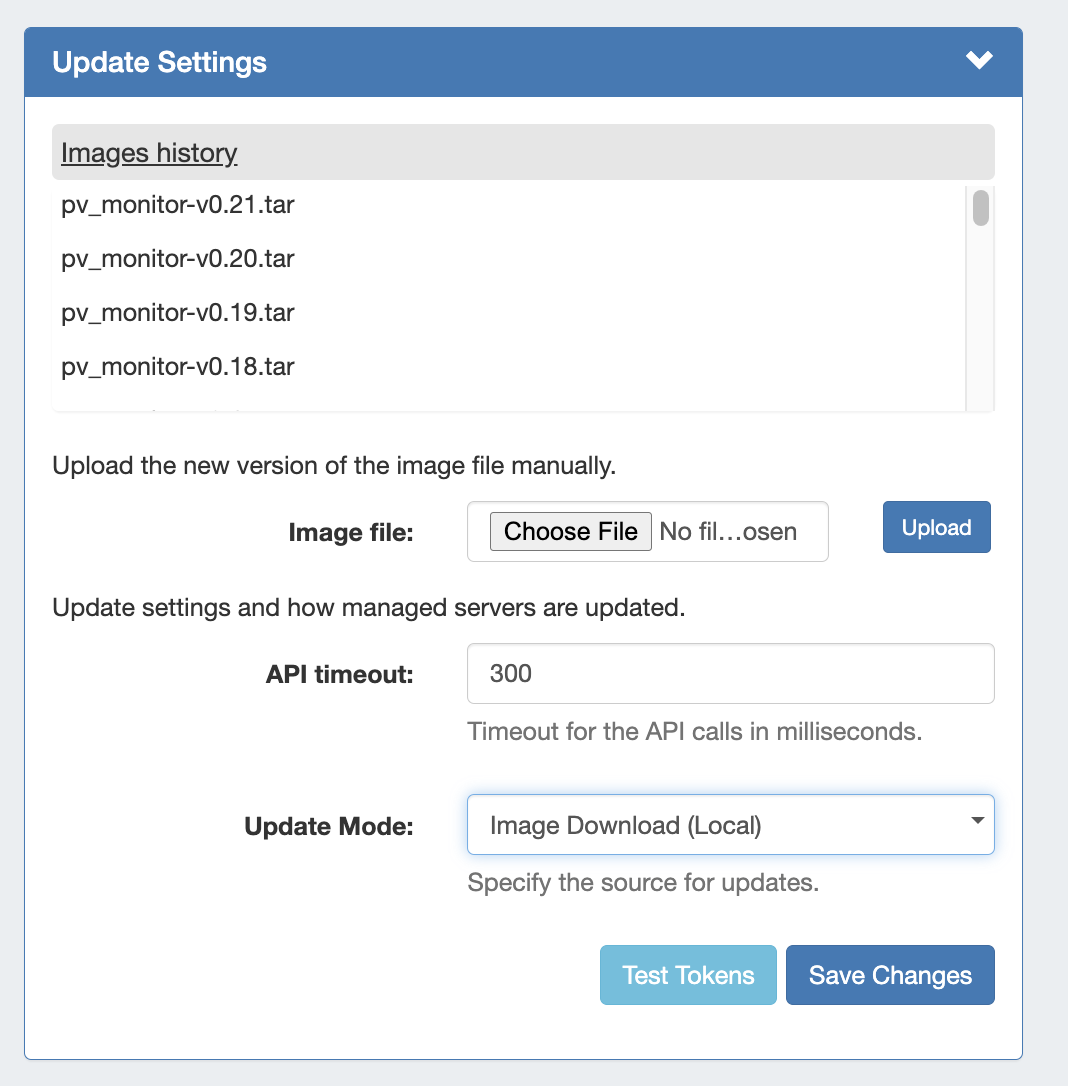
Update Settings - Image Download (Local)If Update Mode is set to "Image Download (Local)", the following settings will display to enter:
Image file: Attach the Image file for upload to ProVision.
API timeout: Timeout for API calls in milliseconds. Update Mode: Enter the source for updates - Image Download (Local), or opt to change to Docker Update (Requires Internet). Images history: Available only after saving changes. Once a history is available, it will display at the top of the module.
Test Tokens: Click to test the applied tokens for DNS, DHCP, and Monitor. |
...